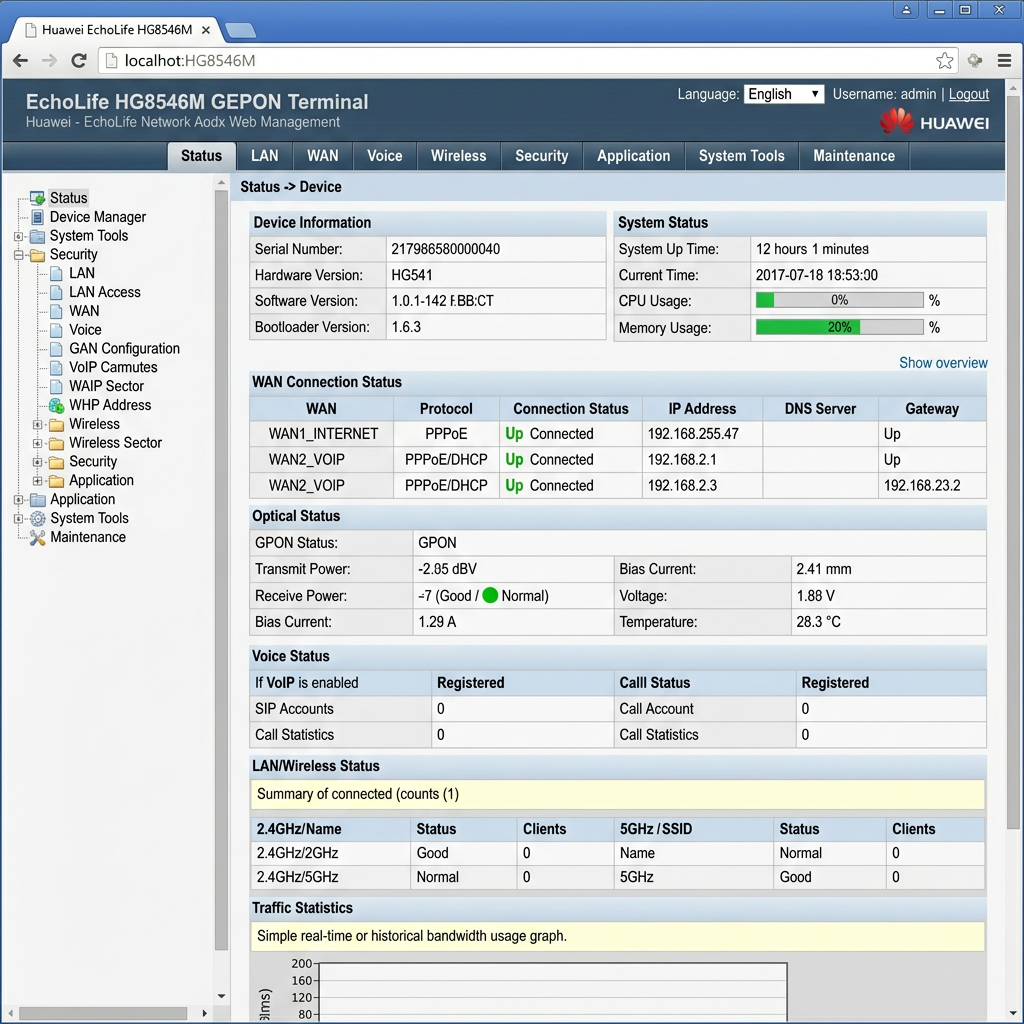
Huawei EchoLife HG8546M GPON terminal web interface showing device info, WAN status, optical status, voice status, LAN/wireless status, and traffic statistics.

How to Log into the EchoLife HG8546M XPON ONU Admin Panel

If you’ve recently purchased or installed an EchoLife HG8546M XPON ONU, chances are you’ll need access to its web-based management interface for configuration, troubleshooting, or ISP provisioning.

The EchoLife HG8546M has become one of the most popular XPON ONTs used by local ISPs and fiber installers, thanks to its affordability, reliable performance, and straightforward configuration process. Whether you’re deploying a new FTTH connection or replacing an existing ONT, knowing the correct administrator login credentials can save you time.

In this guide, we’ll cover the default management IP address, administrator login credentials that technicians commonly use, and what to do if you’re unable to log in.


Why the EchoLife HG8546M Is Popular

The EchoLife HG8546M has gained widespread adoption among local Internet Service Providers (ISPs) for several reasons:

  • Low acquisition cost
  • Supports both GPON and EPON networks (XPON)
  • Simple web-based configuration
  • Four Ethernet ports for customer devices
  • Built-in Wi-Fi
  • Easy provisioning for FTTH deployments
  • Suitable for residential and small business installations

Because of these advantages, many local ISPs use this ONU as their standard customer premises equipment (CPE).


Default Management IP Address

To access the web interface, connect your computer to one of the LAN ports and browse to:

http://192.168.100.1 

If your network uses a different management subnet, verify the IP address printed on the device label.
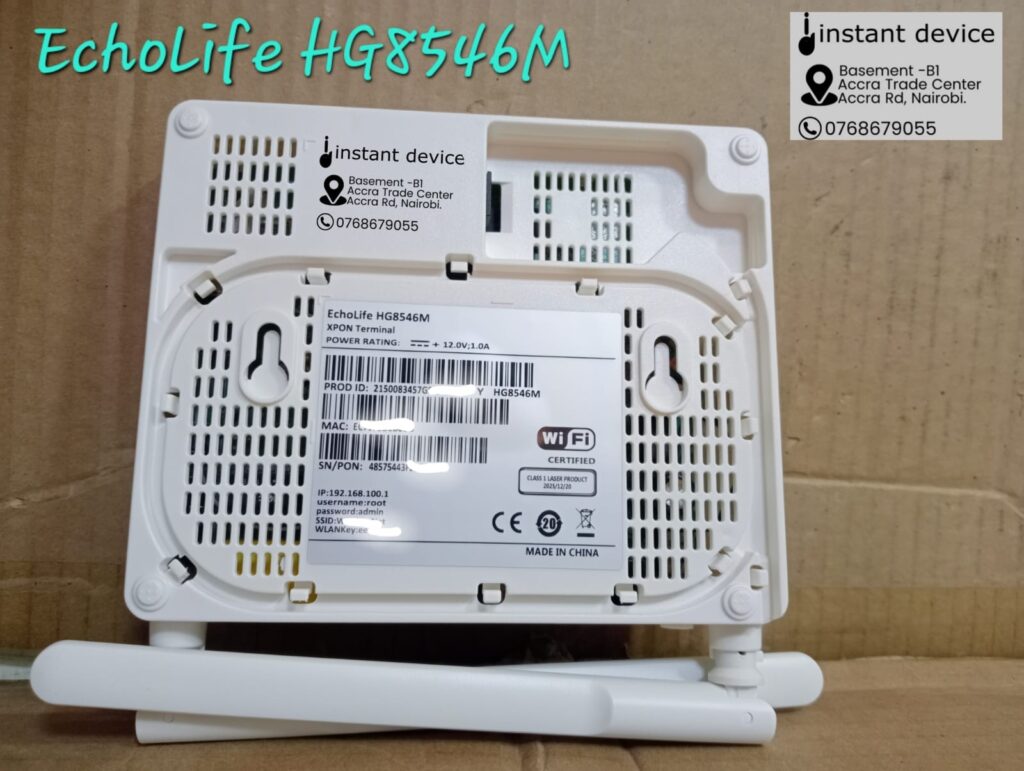
EchoLife HG8546M XPON ONU showing the bottom label with the default admin login credentials, management IP address, Wi-Fi SSID, and wireless key

Administrator Login Credentials

Based on feedback from many local technicians who regularly deploy and configure this model, the following administrator credentials commonly work:

Username

telcomadmin

Password

admintelcom

These credentials typically provide administrator-level access to the device’s configuration interface.


Other Common Login Credentials

Depending on the firmware version or OEM manufacturer, you may also encounter the following login combinations:

UsernamePassword
rootadmin
adminadmin
rootadminHW
telecomadminadmintelecom

Keep in mind that ISPs sometimes customize the firmware and change the default credentials before deploying the ONU to customers.


Configuration Options Available

After successfully logging in, you can typically configure:

  • WAN Internet settings
  • GPON or EPON operating mode
  • PPPoE username and password
  • Bridge mode or Router mode
  • VLAN configuration
  • Wi-Fi SSID and password
  • DHCP server
  • LAN IP address
  • Firewall settings
  • Port forwarding
  • MAC filtering
  • Firmware upgrade
  • System logs
  • Device reboot and factory reset

The exact menu options depend on the firmware version installed on your device.


If the Credentials Don’t Work

If you’re unable to log in:

  1. Confirm you’re browsing to the correct IP address.
  2. Ensure your computer is connected directly to the ONU.
  3. Try clearing your browser cache or using a different browser.
  4. Check whether your ISP has changed the administrator password.
  5. Avoid performing a factory reset unless you have the required ISP provisioning information, as this may erase the optical configuration needed to reconnect to the network.

Is This a Genuine Huawei ONU?

Interestingly, many devices sold as EchoLife HG8546M XPON ONUs are OEM products that use the Huawei model name rather than genuine Huawei-manufactured equipment. These units often feature different internal chipsets and firmware but provide similar functionality and user interfaces.

For most users, this has little impact on everyday operation, but it can explain why login credentials and firmware versions vary between devices that appear to have the same model number.
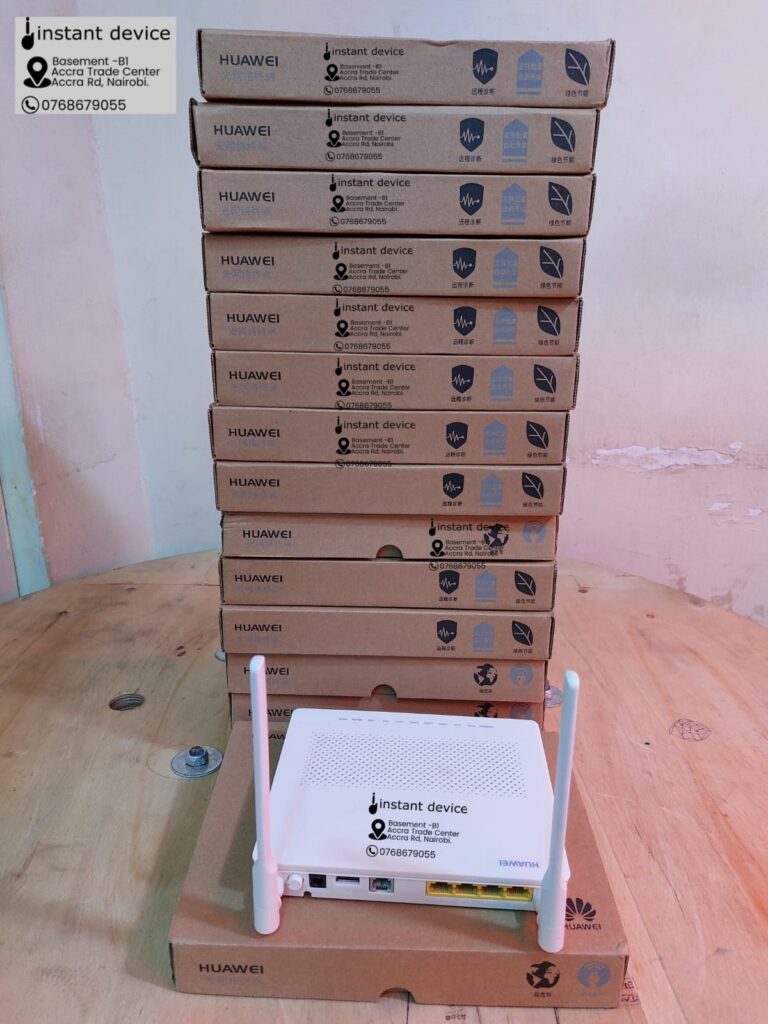
EchoLife HG8546M XPON ONU dual-antenna fiber modem used by local ISPs, with administrator configuration login details and web management interface information for FTTH installations

Final Thoughts

The EchoLife HG8546M XPON ONU remains one of the most widely deployed FTTH ONUs in many local markets because it strikes an excellent balance between price, functionality, and ease of configuration.

For technicians working with this model, the administrator credentials below are among the most commonly reported to work:

Management URL

http://192.168.100.1

Username

telcomadmin

Password

admintelcom

If these credentials don’t work on your device, it’s likely that your ISP or equipment supplier has installed customized firmware with different administrator credentials.

Buy the EchoLife HG8546M XPON ONU in Kenya

Looking for a reliable and affordable XPON ONU for your FTTH deployment?

Instant Device stocks the EchoLife HG8546M XPON ONU, one of the most trusted and widely used ONTs by local ISPs, fiber installers, and network technicians. Whether you’re purchasing a single unit for a home installation or sourcing in bulk for an ISP rollout, we’ve got you covered.

Why Buy From Instant Device?

  • Genuine, quality-tested XPON ONUs
  • Competitive wholesale and retail pricing
  • Bulk discounts available for ISPs and resellers
  • Fast nationwide delivery across Kenya
  • Expert technical support before and after purchase
  • Wide range of networking and fiber optic accessories in stock

Whether you’re building a new FTTH network, replacing a faulty ONU, or expanding your inventory, the EchoLife HG8546M delivers dependable performance at an affordable price.

Contact Us Today

Call / WhatsApp: +254 768 679055

Email: sales@instantdevice.co.ke

📍 Visit Our Store:
Basement Shop B1, Accra Trade Centre,
Kenneth Matiba Road (Formerly, Accra Road),
Nairobi, Kenya.

Request a Quote Today

Need pricing for 1 unit, 10 units, or a bulk ISP deployment? Contact our sales team today for the latest pricing and availability. We also stock a comprehensive range of GPON/XPON ONUs, OLTs, SFP modules, fiber optic cables, patch cords, splice closures, and FTTH installation accessories to meet all your networking needs.

Contact Instant Device today and get the right FTTH equipment at the right price, backed by expert technical support and fast delivery across Kenya.


Frequently Asked Questions

Q: What is the default IP address for the EchoLife HG8546M XPON ONU?
A: The most common management IP address is 192.168.100.1.

Q: What are the administrator login credentials?
A: Many technicians report that the following credentials work on this model:

  • Username: telcomadmin
  • Password: admintelcom

Q: Can I change the Wi-Fi password?
A: Yes. After logging in as an administrator, you can modify the SSID and wireless password from the WLAN or Wi-Fi settings page.

Q: Can I use this ONU with any ISP?
A: The ONU must be compatible with your ISP’s GPON or EPON infrastructure and usually needs to be provisioned or authorized by the ISP before it can establish an optical connection.
Has Your Casio Label Printer Just Run Out Tape?

Whether you’re labeling office files, electrical panels, network cabinets, retail shelves, warehouse inventory, or school supplies, a reliable label printer is only as good as the tape cartridge inside it.

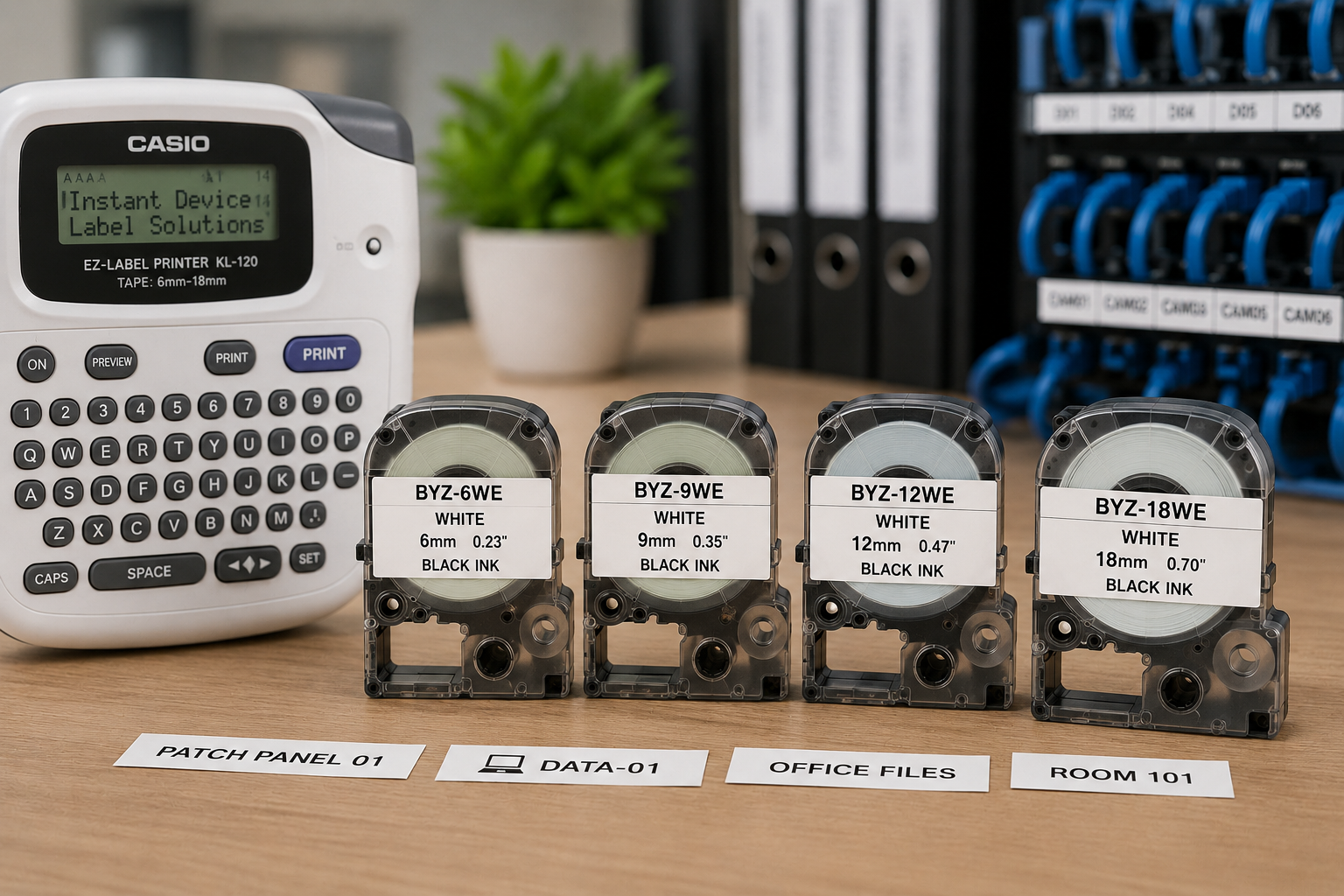
Among the most sought-after consumables for Casio EZ-Label printers are the BYZ-6WE, BYZ-9WE, BYZ-12WE, and BYZ-18WE tape cartridges. These white tapes with black print deliver crisp, easy-to-read labels that stand out in virtually every environment.

At Instant Device, we stock these tape cartridges to help businesses, technicians, schools, retailers, and homeowners keep their labeling projects running without interruption.

What Are BYZ-6WE, BYZ-9WE, BYZ-12WE and BYZ-18WE Tapes?

These are laminated adhesive label tape cartridges designed for Casio EZ-Label (LABEL IT!) printers and compatible third-party systems.

All four variants feature:

  • White laminated tape
  • Black thermal transfer printing
  • Permanent adhesive backing
  • Smudge-resistant printing
  • Fade-resistant text
  • Water-resistant surface
  • Excellent readability indoors

The only difference between them is tape width.

ModelWidthColor
BYZ-6WE6mmWhite tape / Black print
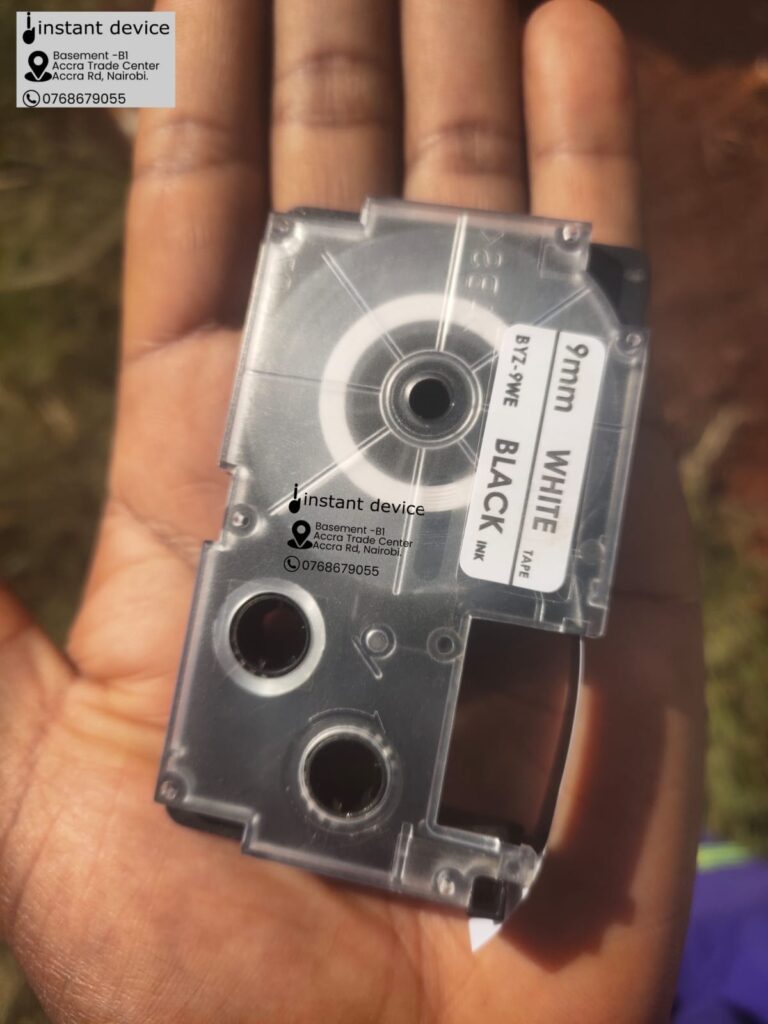
BYZ-9WE9mmWhite tape / Black print
BYZ-12WE12mmWhite tape / Black print
BYZ-18WE18mmWhite tape / Black print


Which Casio Label Printers Are Compatible?

The BYZ tape cartridges are designed for Casio EZ-Label printers that accept 6mm, 9mm, 12mm and 18mm tape widths.

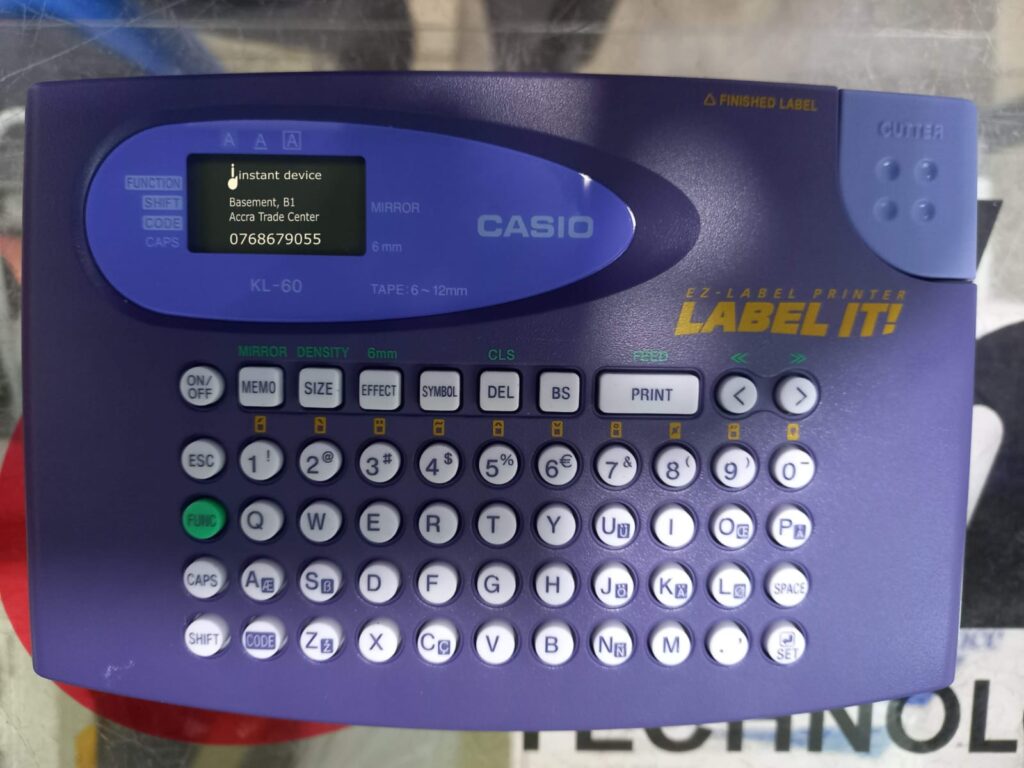
Casio KL-60 EZ-Label Printer

Popular compatible models include:

  • Casio KL-120
  • Casio KL-60
  • Casio KL-130
  • Casio KL-7400
  • Casio KL-820
  • Casio KL-G2
  • Casio KL-HD1
  • Casio KL-P350W
  • Many other Casio LABEL IT! printers that use the same cassette format and tape widths.
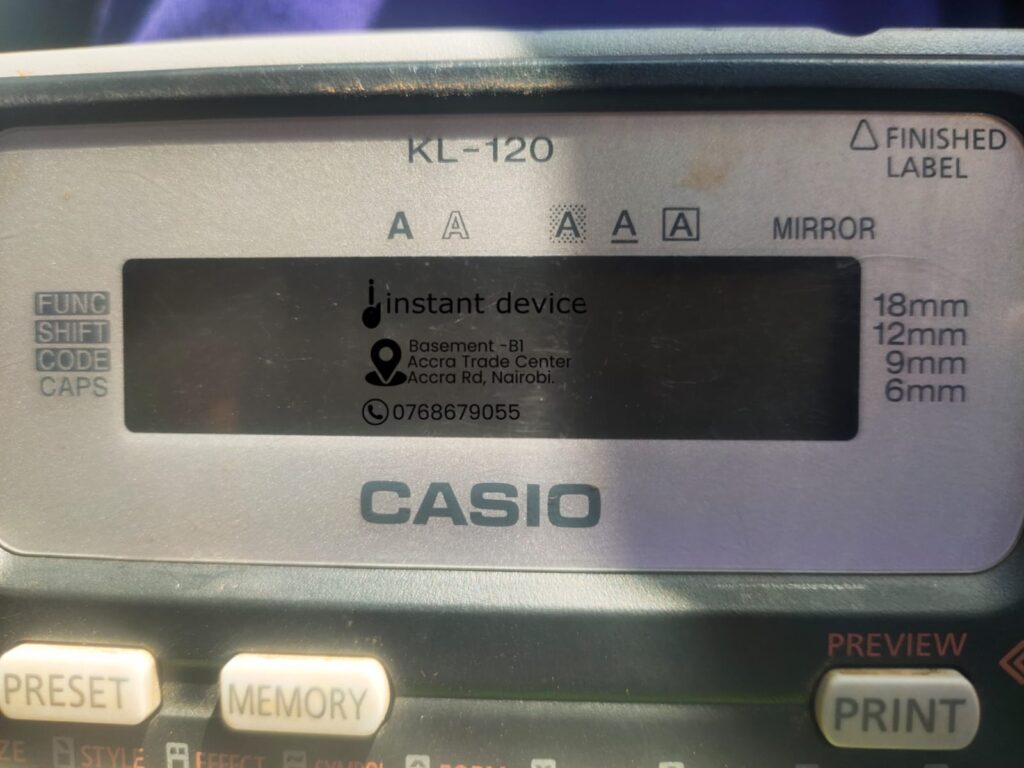
Instant Device stocks quality compatible label tapes for Casio KL-120 EZ-Label Printer

The Casio KL-120, one of the most popular handheld label printers in Kenya, officially supports 6mm, 9mm, 12mm and 18mm tape cartridges, making it fully compatible with the BYZ-6WE, BYZ-9WE, BYZ-12WE and BYZ-18WE widths.

Which Tape Width Should You Buy?

BYZ-6WE (6mm)

Ideal for:

  • Keys
  • Chargers
  • Network patch cords
  • USB cables
  • Power adapters
  • Small laboratory items

Perfect where space is limited.

BYZ-9WE (9mm)

Best for:

  • File folders
  • School books
  • Drawers
  • Storage boxes
  • Retail shelves

This is one of the most versatile everyday label sizes.

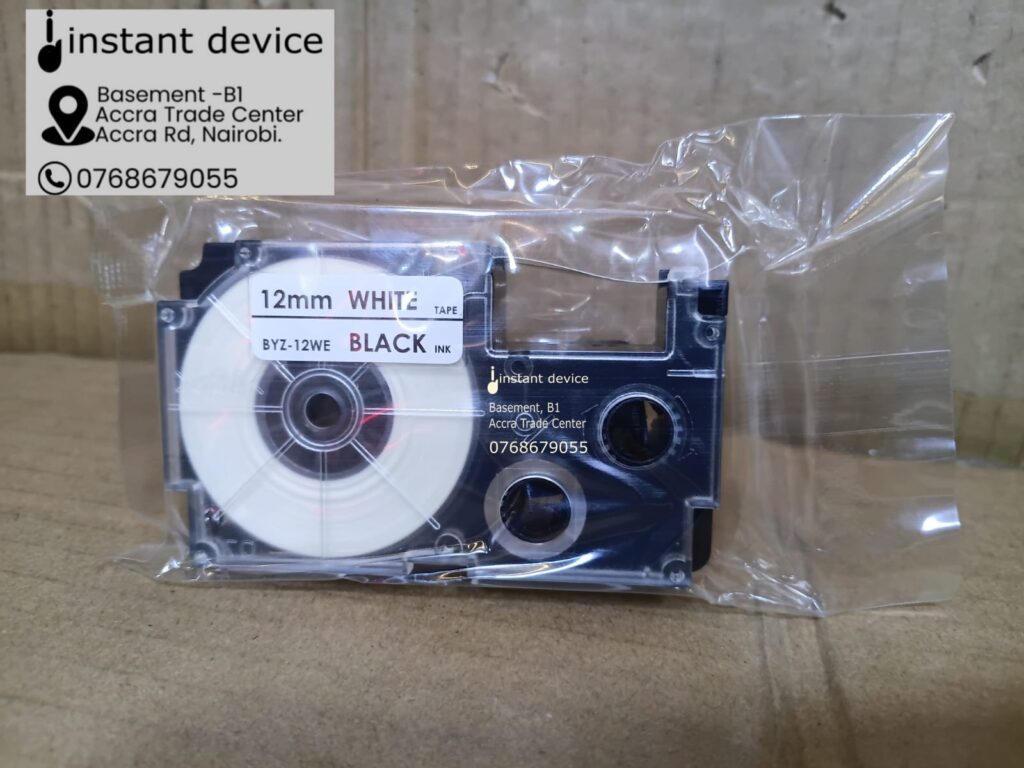
Casio Cartridge 12mm*8m Black on White for KL-120 printer

BYZ-12WE (12mm)

Excellent for:

  • Office filing systems
  • Warehouse shelves
  • Home organization
  • Product identification
  • Cable management

Many businesses consider 12mm their default tape width because it offers excellent readability without occupying excessive space.

BYZ-18WE (18mm)

Ideal for:

  • Electrical panels
  • Distribution boards
  • Warehouse racks
  • Asset labels
  • Safety signs
  • Large storage bins

If maximum visibility is important, 18mm is the preferred choice.

Common Applications

These tapes are widely used in:

  • Offices
  • Schools
  • Hospitals
  • Data centres
  • Warehouses
  • Retail shops
  • Manufacturing plants
  • Network installations
  • CCTV installations
  • Electrical installations
  • Telecom infrastructure

Professional installers frequently use them for labeling:

  • Patch panels
  • Network switches
  • Routers
  • Fibre optic termination boxes
  • CCTV DVRs
  • NVRs
  • UPS systems
  • Power distribution units


Things to Look Out for Before Buying

Not every label tape on the market offers the same quality.

Before purchasing, consider the following:

  1. Correct Tape Width

Always confirm whether your printer requires:

  • 6mm
  • 9mm
  • 12mm
  • 18mm

The wrong width may not fit your printer or suit your application.

  1. Printer Compatibility

Always verify that your label printer supports the cassette format you’re buying.

Although many third-party cartridges are manufactured to work with Casio EZ-Label printers, compatibility should always be confirmed against your printer model.

  1. Print Quality

A good tape should produce:

  • Sharp lettering
  • No broken characters
  • Even ink density
  • High contrast

Poor-quality tapes often produce faded or inconsistent printing.

  1. Adhesive Strength

Cheap tapes frequently peel after a few weeks.

A quality laminated tape should adhere well to:

  • Plastic
  • Metal
  • Glass
  • Painted surfaces
  • Cabinets
  • Equipment enclosures
  1. Durability

Professional labels should resist:

  • Water
  • Smudging
  • Everyday handling
  • Light abrasion
  1. Shelf Life

Always buy from a supplier with fresh stock.

Old tape cartridges can lose adhesive strength or produce inconsistent prints.

Genuine vs Compatible Tape Cartridges

Casio recommends using genuine tape cartridges to maintain optimal print quality and printer performance. However, quality third-party compatible tapes are widely used in the market and can offer excellent value when sourced from reputable suppliers.

The key is buying from a trusted supplier that stands behind the products they sell.

Why Buy from Instant Device?

At Instant Device, we understand that downtime caused by something as simple as a missing tape cartridge can delay an entire project.

That’s why we stock popular Casio-compatible label tapes, including:

  • BYZ-6WE
  • BYZ-9WE
  • BYZ-12WE
  • BYZ-18WE

When you buy from Instant Device, you benefit from:

  • Genuine-quality compatible tape cartridges
  • Local stock in Nairobi
  • Fast order processing
  • Competitive pricing
  • Technical assistance on compatibility
  • Support for businesses, contractors and institutions
  • Bulk supply for resellers and corporate buyers

Whether you’re labeling a single office cabinet or an entire data centre, we can help you choose the right tape width for your application.

Final Thoughts

The BYZ-6WE, BYZ-9WE, BYZ-12WE, and BYZ-18WE tape cartridges remain some of the most practical consumables for Casio EZ-Label printers. Their durable white laminated tape and high-contrast black printing make them suitable for everything from office organization to professional network and electrical installations.

If you’re looking for reliable Casio-compatible label tapes in Kenya, Instant Device is your trusted source. We stock the most popular tape sizes, offer expert guidance on compatibility, and help businesses, technicians, and institutions keep their labeling systems running efficiently.